Explainer · Routing
How routing works in Lyre
What model routing is, why it matters, and how Lyre chooses a provider.
Once you use more than one AI provider, a question appears: which one should handle this request? The answer is not always "the same one every time." A model may be rate limited, a key may run out of credit, or a particular task may suit a particular model. Routing is the layer that makes that decision.
This post explains what routing is, why it matters, and how Lyre implements it, using the running app and the screenshots below. You do not need to use Lyre to follow it.
The idea in plain language
A few terms first:
- Model: the AI that produces the response, for example a chat or coding model.
- Provider: the service or runtime that serves a model. It can be a hosted API (such as OpenAI, Anthropic, Google, or GitHub Copilot) or a model running on your own computer.
- Endpoint: the address your tools send requests to.
- Gateway: the piece of software that sits between your tools and the providers and forwards each request.
- Routing: the rules the gateway uses to choose which provider and model serves a request.
- Fallback: what happens when the first choice does not work, and the request is retried somewhere else.
Without routing, every tool has to be configured for each provider separately. If one provider is down, the tool simply fails. With routing, your tools point at a single endpoint, and the gateway handles the details of which provider actually answers.
Why you would want it
Routing is meant to solve a set of practical problems:
- Reliability. If one provider has an outage or a key stops working, the request can continue on another provider instead of failing outright.
- Cost and quotas. Different providers and models have different prices and limits. Routing lets you add a cheaper or secondary option and be explicit about which is tried first.
- Choice. You are not locked to a single vendor. You can keep several connected and switch priorities without rewriting your setup.
- One endpoint. Tools and agents only need to know one address. You change providers in one place, not in every tool.
- Observability. A gateway can show what was used, how much, and whether requests succeeded, which is hard to see when each tool talks to a different service.
The trade off is that a gateway becomes a central point that needs to be running and configured correctly. When it is unreachable, everything that depends on it is unreachable too.
Where it lives in Lyre
Open Settings, choose your host, then open Routing. The page shows a status, a set of tabs, and a live preview of how requests flow.
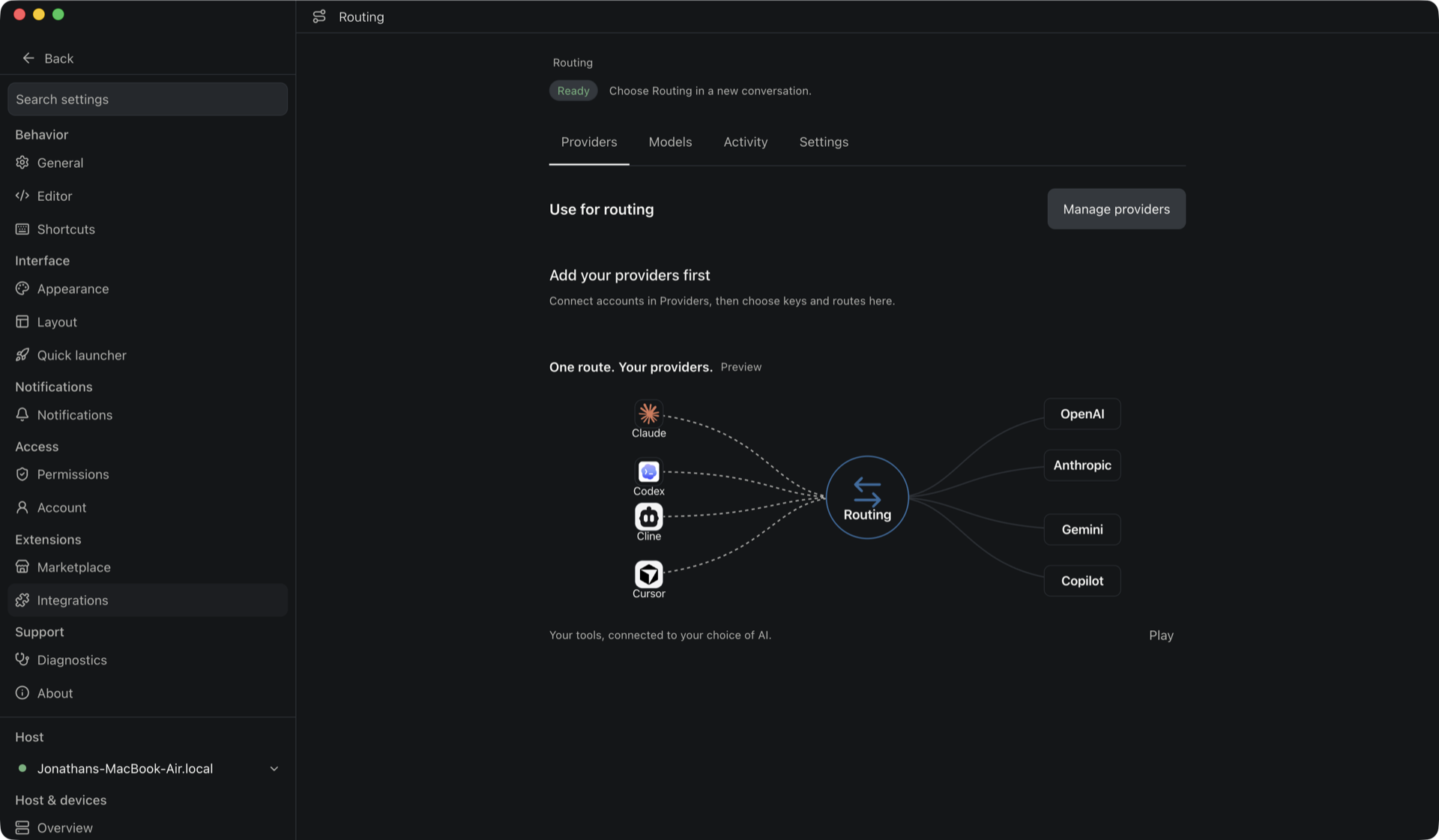
At the top you can see the status, here Ready, with the reminder to Choose Routing in a new conversation. The tabs are Providers, Models, Activity, and Settings.
One route, your providers
The preview summarizes the whole idea. Your tools and agents connect to a single Routing layer, and Routing connects to the providers you have added. In the capture, the left side is a set of coding tools (Claude, Codex, Cline, Cursor), the middle is Routing, and the right side is a set of providers (OpenAI, Anthropic, Gemini, Copilot). Press Play to watch a request travel the path.
That is the main benefit in one picture: an agent does not need separate configuration for each provider. It points at Lyre, and Lyre routes.
Gateway runtime
Under Routing → Settings you choose how the gateway runs:
- Included with Lyre uses the gateway that ships with Lyre and starts on the host.
- Use external points Lyre at a gateway you run yourself.
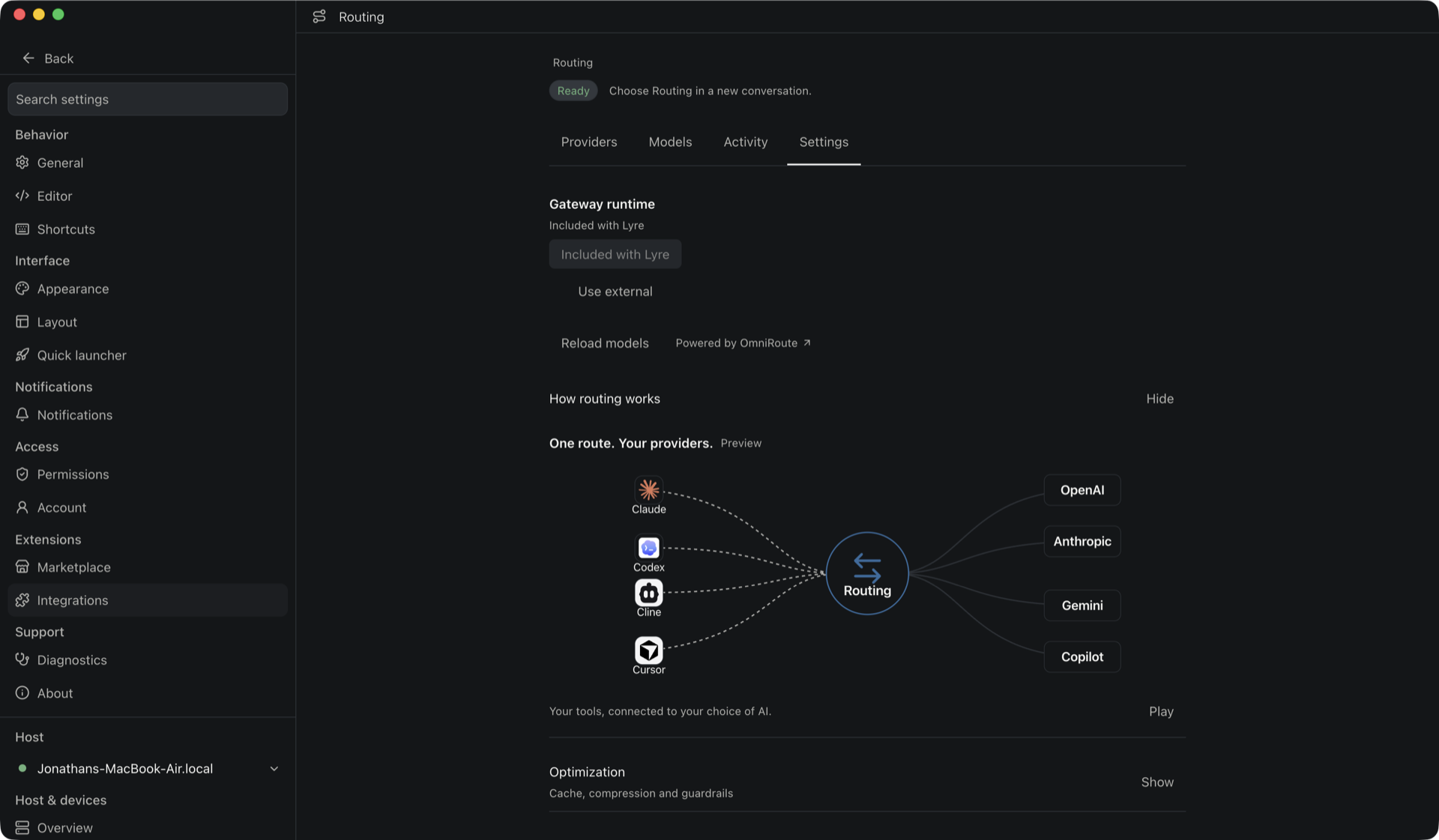
The same page has Reload models and a link to the gateway's own dashboard, which is marked Powered by OmniRoute. Opening How routing works shows the preview described above.
Providers, keys and fallback
The Providers tab is where you connect the accounts routing can use. A provider can have more than one key, and each key has a priority. The default behavior is First available: Routing tries the first eligible key and, if it hits a retryable problem such as an authentication or quota failure, moves to the next one. Disabled or cooling accounts are skipped. A request that is invalid, a provider wide failure, or a connection you have pinned stops the retry instead of silently trying something else.
If you have not added a provider yet, the tab shows Add your providers first with a Manage providers button. That is the state in the first screenshot.
Models, activity and settings
- Models shows the models the gateway can reach and lets you manage aliases and routes. Advanced routing adds fusion and pipeline combos, where several models are combined for a single request.
- Activity shows usage and quotas, with request history.
- Settings holds the options that shape routing: cache, compression and guardrails under Optimization, plus Coding tools & agents, API compatibility, and Media models.
Connected models also appear in Lyre's normal provider and model picker, so a route you set up here is available wherever you start an agent.
What routing is for
In practice, routing is for anyone who does not want their work tied to one AI account:
- You rely on one provider day to day but want a backup for outages.
- You want to send routine work to a cheaper model and hard work to a stronger one.
- You run a local model alongside hosted ones and want both reachable from the same place.
- You want one place to see what your agents have been using.
For a single provider with a single key, routing adds little. It earns its place when there is more than one option to choose from.
What to keep in mind
- Routing chooses among the providers you connect. It does not add a new model of its own.
- The host owns the gateway and its secrets. Managing it requires host management permissions, and the app does not ask for the management key in the UI.
- If the host is offline, remote work that depends on it is unavailable, the same as the rest of Lyre.
- Fallback is not magic. It helps with rate limits, credit, and outages, but it cannot rescue a request the provider itself rejects.
Routing is one of the newest parts of the build and is still changing. The screenshots show the current build, and the Providers, Models, Activity, and Settings tabs are the best place to see what your host is routing today. The broader idea is not specific to Lyre: whenever a system has more than one model or provider, something has to decide which one serves each request, and that is what routing means.