Feature tour
Everything Lyre does, in one page, with a link to the guide for each.
On this page
Build with AI agents
Chat with an agent about your project. It reads files, runs commands you approve, edits code and reports back. Use Claude Code, Codex, GitHub Copilot, OpenCode or Pi, several side by side, organized by project. Queue follow-up messages, dictate by voice, and attach screenshots or files.
Choose how the agent works
Pick a task mode in the chat box: Agent to do the work, Plan to agree first, Debug to chase a bug, Ask for answers only, Multitask to hand parts to helpers, and Orchestrate to split big work across agents and computers.
See your app, live
Open app starts your project and opens its interactive preview. Use its return control to reach the conversation, or your pane preferences to work with supporting views. Agents and previews run independently. Capture a screenshot to prepare precise feedback in your draft.
Review before you ship
See every changed file and the exact diff, run your tests in built-in terminals, and commit or open a pull request. Work on several ideas at once in separate Git worktrees.
Choose your model
Connect cloud accounts, add several API keys, or run free models on your own computer with Ollama, LM Studio or llama.cpp. Routing shows which provider serves each request, with a live map and usage report.
Continue on any device
Your computer does the work; phones, tablets and other computers connect to it. Follow agents, review changes and try the app by touch, on your Wi-Fi or away from home through an end-to-end encrypted relay.
Open your whole desktop
View and control the host computer’s entire screen from Lyre, for tools that don’t live in a browser: a game engine, a design app, a build monitor. It’s built in, with no Docker, RDP server or gateway to install. Each session asks for consent.
Keep work moving
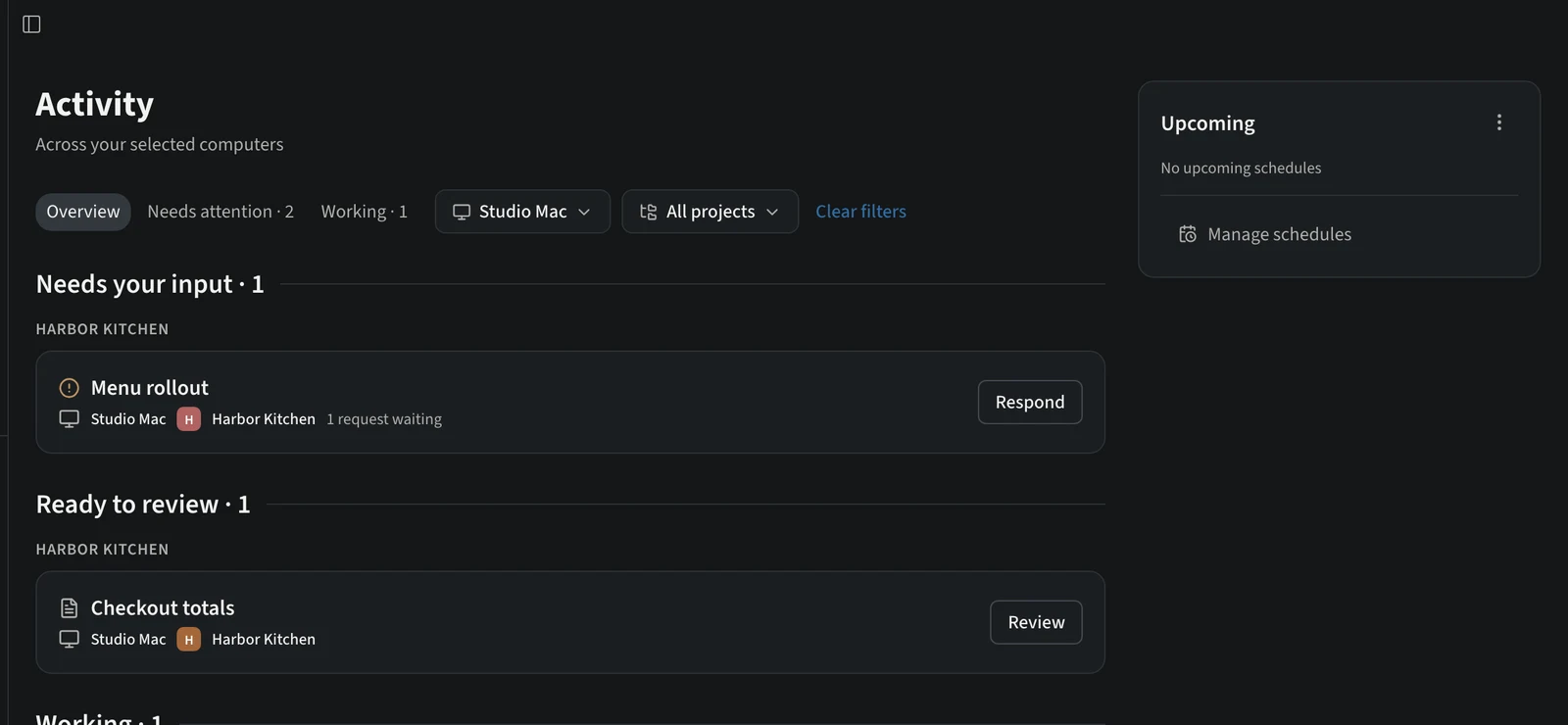
Activity groups what needs your input, what’s ready to review and what’s working. Schedules run timed tasks. Notifications can deliver immediate attention and grouped finish summaries.
Read and keep created files
Artifacts finds created files across connected computers. Read PDFs and spreadsheets, edit eligible project XLSX cells, favorite useful files and download them to this device.
Carry the right context forward
Project context keeps references and connections close to the request. Prepare a review and Session handoff produce reviewed material for another person or conversation.
Configure tools and follow usage
Tools and instructions configures agent software, profiles, MCP and skills. Usage shows available account reports. Models across computers separates inference from the computer running project tools.
And more
- Publish with the supported app-store and web-hosting destinations.
- Browse starters in the Marketplace and extend Lyre with plugins. Check the Extensions catalog for compatibility and supported next steps.
- Switch between Guided and Developer layouts without losing your work.