Share your app
Let someone use the app you’re building with a link or QR code, without giving them your code.
On this page
Invite someone
Before inviting someone, check that the selected app opens in its live preview. Keep the host awake and online while they use it.
For a complete test and access-removal checklist, follow share a local app with a tester.
-
Open Share app
In your project’s workspace, choose Share app. Lyre shows the app it will share and marks it App-only access.
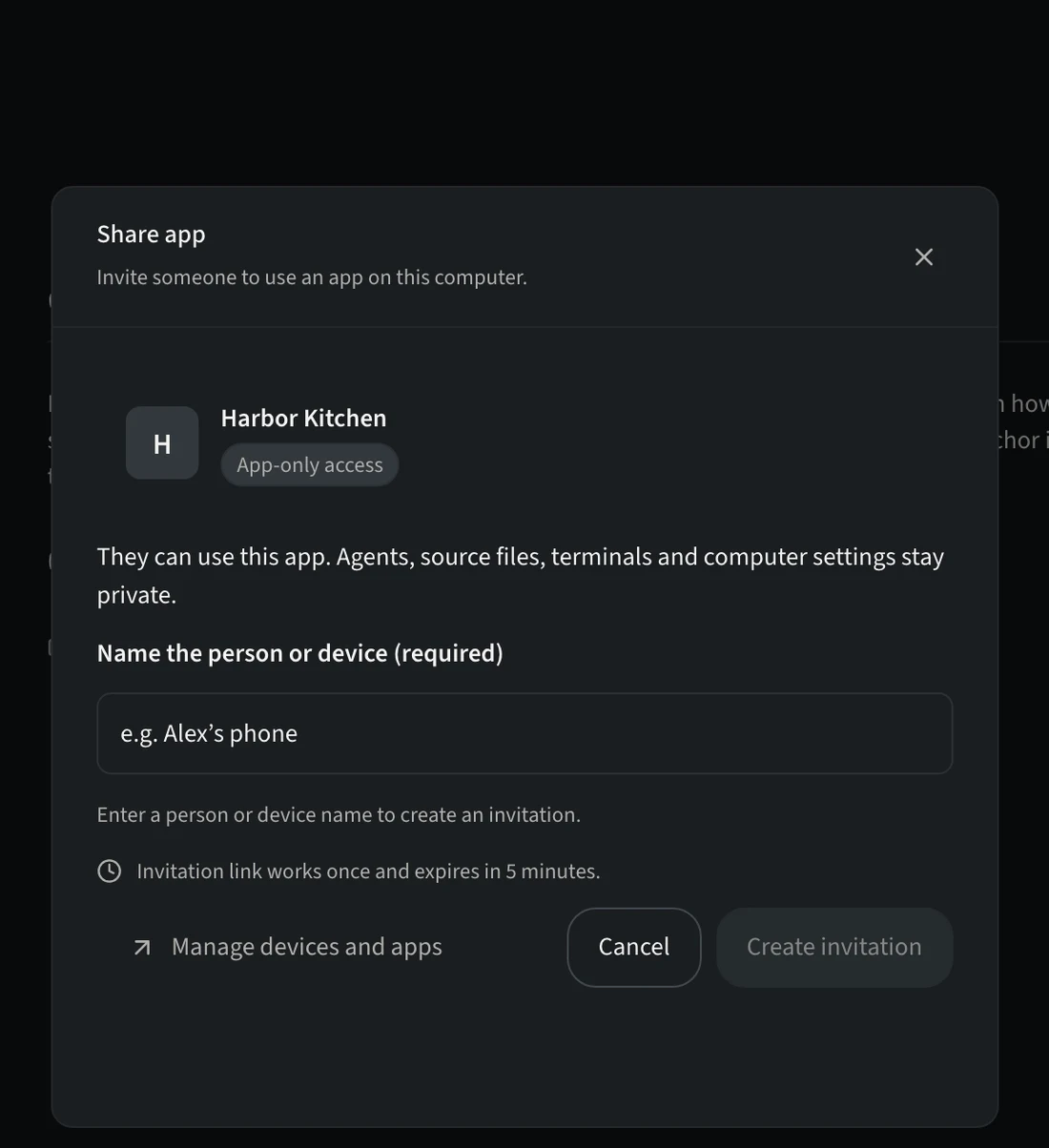
Check which app you’re sharing before you invite. -
Name the person or device
For example “Alex’s phone”, so you can recognize and remove it later.
-
Create the invitation
Choose Create invitation. Show them the QR code, or choose Copy link and send it privately.
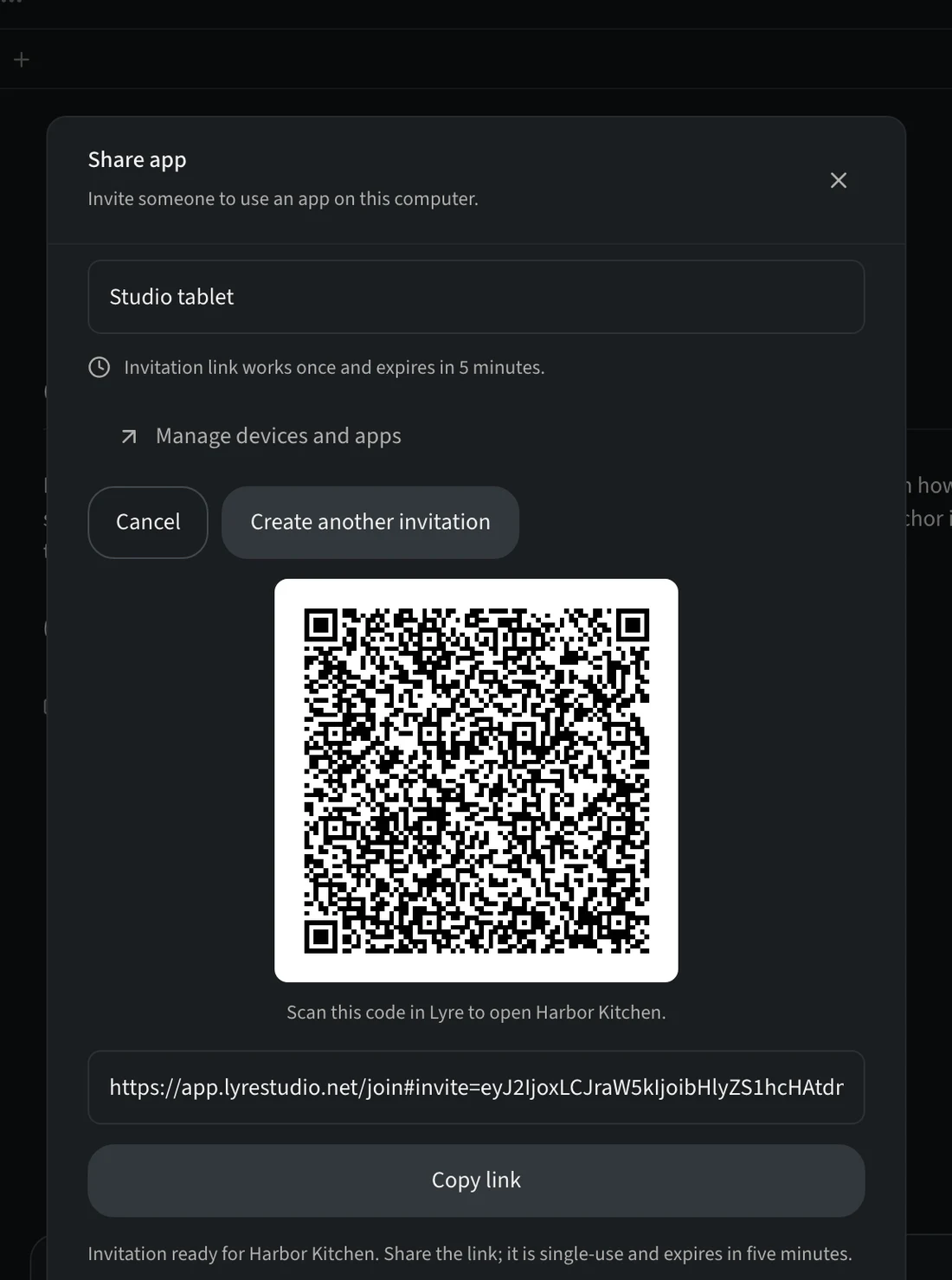
The link works once and expires after five minutes.
What they can and can’t do
| They can | They can’t |
|---|---|
| Open and use the app you shared, in the Lyre app. | See source files, agents, terminals, other projects or your computer’s settings, or open your desktop. |
The invitation link must be used within five minutes. The access it grants lasts until you remove it.
Stop sharing
Choose Manage devices and apps in the Share app window (or open Pair device) and remove the person’s access. Their app stops working right away.
Testers outside your local network can use live app previews on Free within the host account's application relay allowance. See plan limits and testing from another screen.