Task modes
Tell the agent how to work: do it, plan it, debug it, answer only, or split it up.
Pick a mode
The mode button sits in the chat box, next to the agent and model. It applies to the message you’re about to send.
| Mode | Use it when you want to… |
|---|---|
| Agent | get the change made, start to finish. The default. |
| Plan | agree on the approach before anything is edited. |
| Debug | track down why something is broken, step by step. |
| Ask | get an answer or explanation without touching files. |
| Multitask | let the agent hand parts of a task to helper agents. |
| Orchestrate | split a larger job between agents, even on several computers, and review it together. |
Use Plan for anything big, then switch to Agent once the plan looks right.
Orchestrate across computers
-
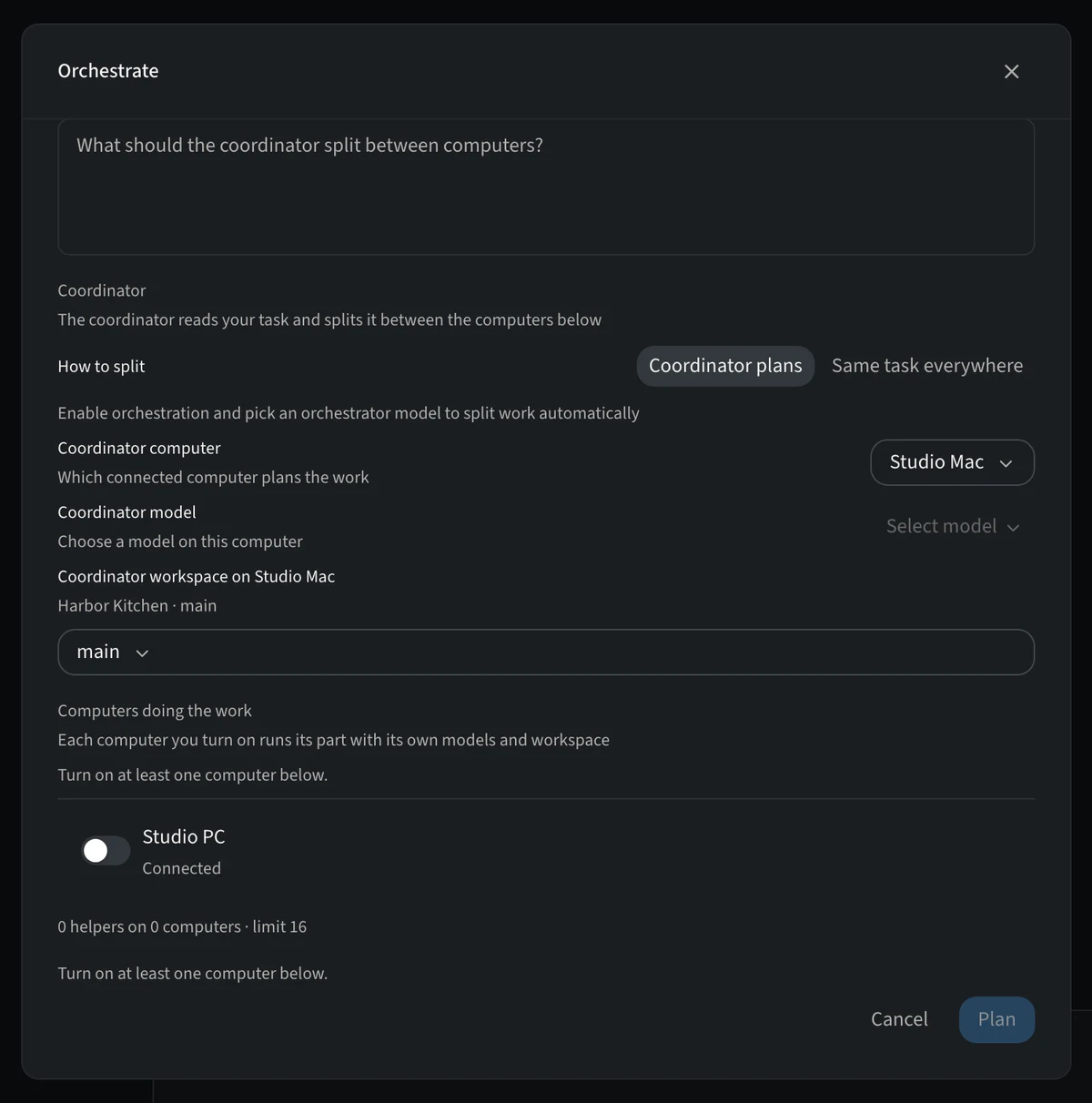
Choose Orchestrate
Open the mode menu and pick Orchestrate.
-
Describe the whole job
Write what should be built. The coordinator reads it and splits it.
-
Choose how to split
Coordinator plans divides the work; Same task everywhere sends the same task to each helper so you can compare results.
-
Turn on computers
Under Computers doing the work, switch on each connected computer that should help. Each runs its part with its own models and workspace.
Other computers must be paired and allow orchestration in their settings.